TikTok Agent Control
An AI agent that runs a TikTok account's content: it reads the numbers, decides what to make, and builds the video.
Part of the same system Agentic Video EditingTwo halves of one system. This side watches the account and decides what to make; the editing agent builds the clip inside After Effects and hands back a project to review.- Role
- Solo: architecture, agents, dashboard
- Year
- 2026
- Type
- AI & Agents
- Status
- Prototype
The problem
Running a content account means reading the analytics, deciding what to make next and then making it. Those are usually three different tools, and none of them remembers the account.
What I did
Solo: the architecture, the agent and its memory, the video pipeline, the background worker and the dashboard.
Result
A prototype where one agent per account reads real numbers, plans the next clip and builds it. Posting stays with me: the app holds read-only access and cannot publish.
- Prototype
- Runs locally with a background worker; read-only access to TikTok
- 0
- agent per account, with memory of only that account
- 0
- videos a week on Autopilot, timed to the account's best slots
- 0
- integrations: sources, media, voice and rendering
- 0
- posts published without me reviewing the clip first
Watch it run
On desktop
Overview
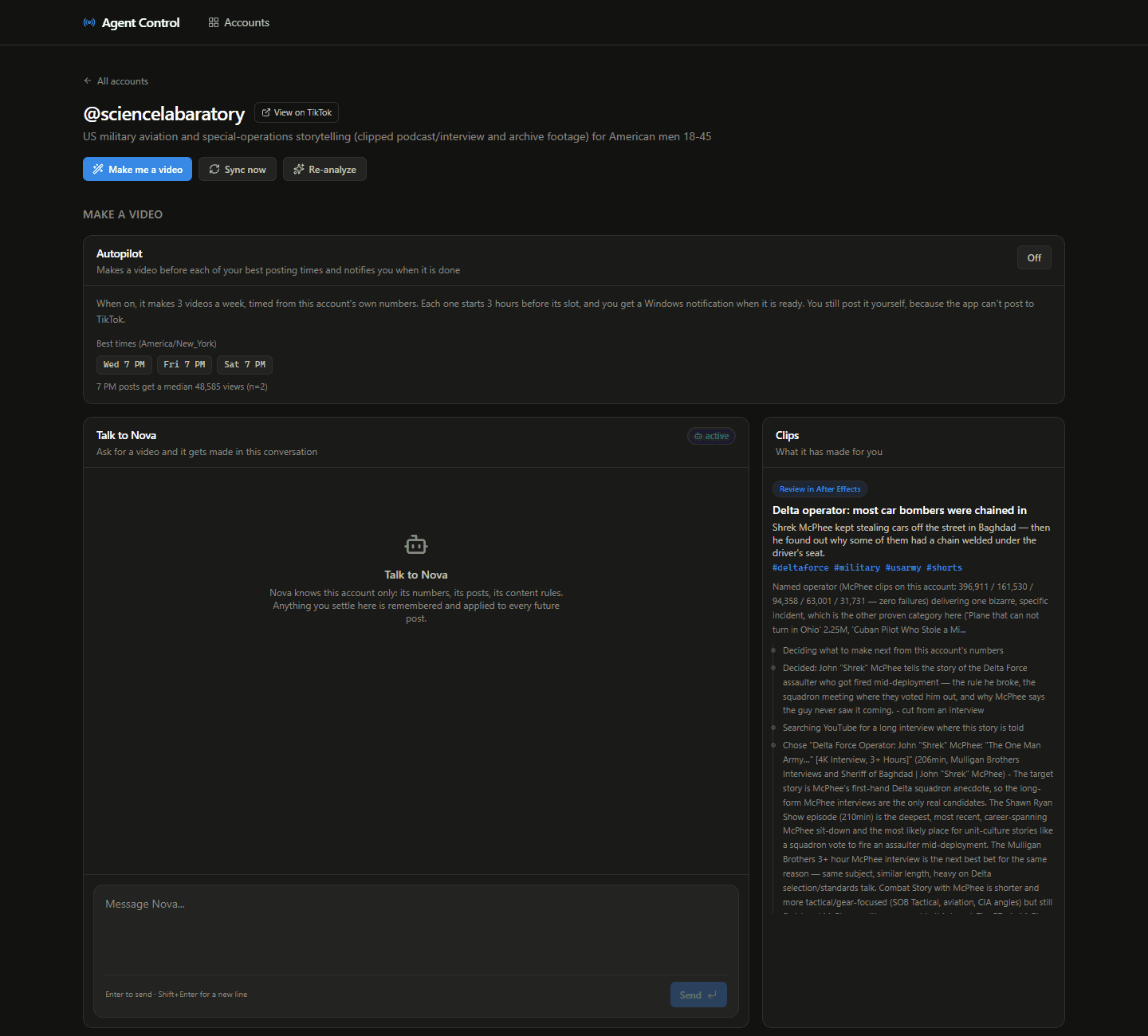
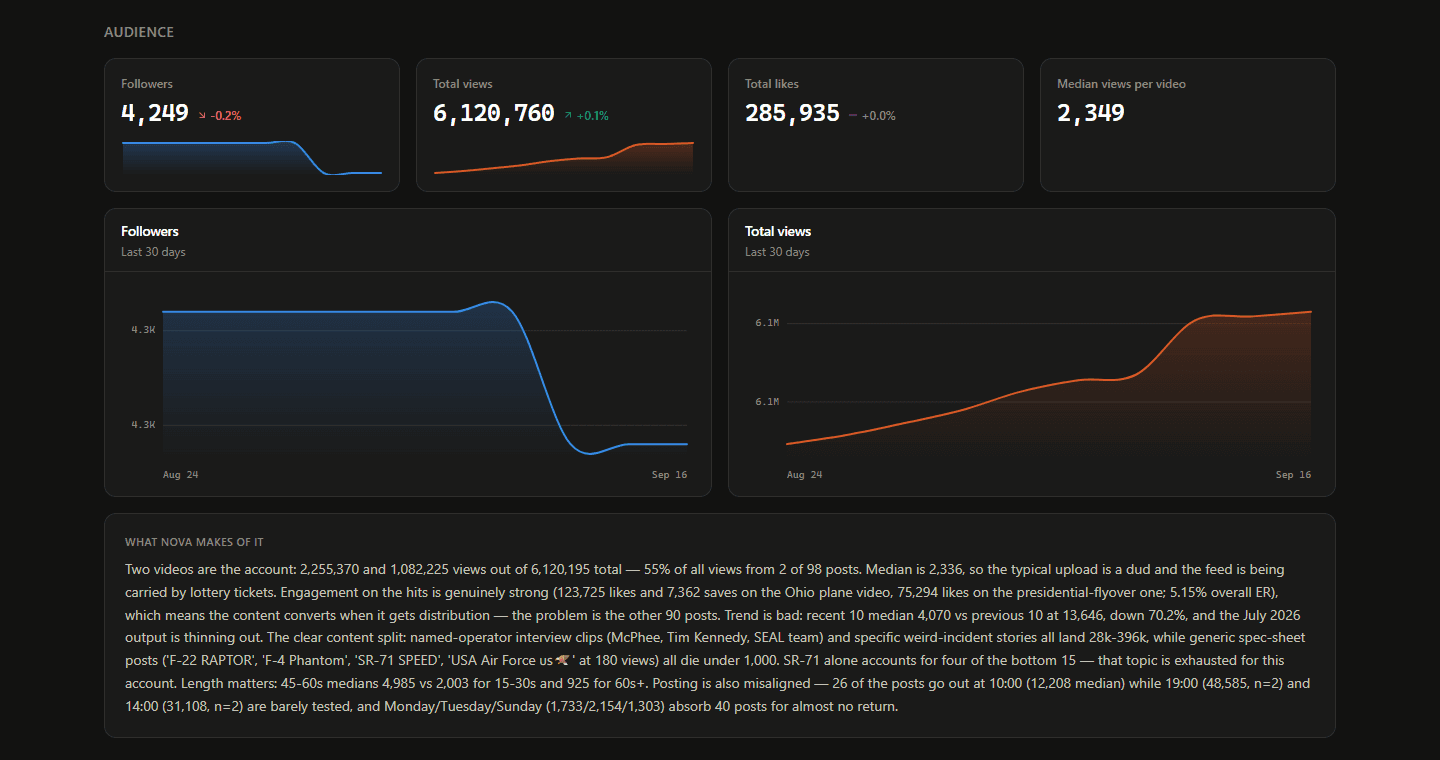
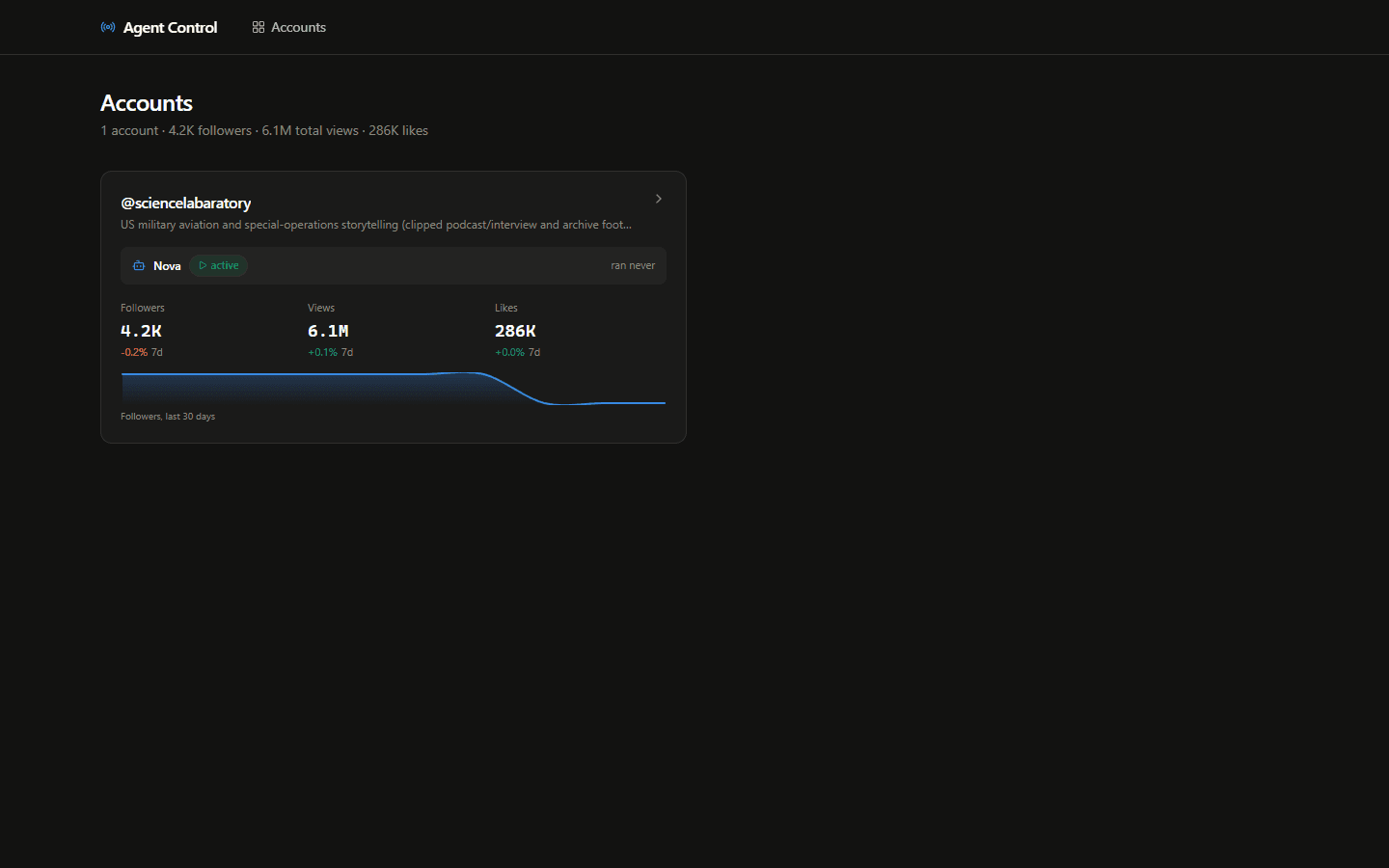
A control room where each TikTok account has its own agent. Mine is called Nova. It knows only its account: the analytics, the posts that worked and failed, and the content rules you set. It reads that data, writes an honest analysis of what's working, decides what to make next and produces the clip.
You can ask for a video in the chat or switch on Autopilot, which makes three videos a week timed to the account's best posting slots and notifies you when each one is ready. Posting stays with you. The app never publishes on its own.
How it fits together
Dashboard
- Next.js appBuilt solo
Accounts, audience charts, videos, agent chat, clips and autopilot.
Agent & worker
- Nova (per account)Built solo
Claude Opus 5 / Sonnet 5 with the account's profile, memory and live data.
- WorkerBuilt solo
Sync, analysis, sourcing, clipping and rendering as retryable jobs.
- SQLite + Drizzle
Accounts, snapshots, posts, jobs, chats and memory.
Media
- yt-dlp + ffmpeg
Download sources and cut them.
- Remotion
Renders finished 1080×1920 clips.
- After Effects agentMy other project
Builds the edit inside After Effects for review.
How it flows
- 1
Sync the account
WorkerFollowers, views, likes and per-video stats are pulled into snapshots.
- 2
Read the numbers
ClaudeNova writes what's actually working and what to make next, from live data only.
- 3
Find the source
yt-dlp · DVIDSA long interview or public-domain footage that tells the chosen story.
- 4
Cut the clip
ffmpeg · Remotion · AECaptions become sentences, the moment is picked, then it's cut, captioned and rendered.
- 5
Hand it over
YouA notification says the clip is ready. You review it and post it yourself.
What I built
- 01One agent per account with layered memory: a binding content profile, standing directives distilled from chat (say "stop using trending audio" once and it holds), and live data.
- 02Account analysis written by Claude from real numbers: which topics and lengths carry the account, when posting works, and what is dragging the median down.
- 03Autopilot that schedules three videos a week from the account's own best times, starting each build three hours before its slot, with a Windows notification when it's done.
- 04Video production pipeline: find a source (long YouTube interviews, or public-domain footage from DVIDS and the Internet Archive), turn captions into sentences, pick the moment, then cut and caption it.
- 05Two render paths: Remotion for finished clips, or a bridge to my After Effects agent that leaves an edit in an AE project for a human to review.
- 06Rights-first safety rails: footage starts as unverified, music comes only from a folder the owner filled, and the app keeps read-only access so it can't post.
- 07Background worker where every step is a row in a jobs table with retries and exponential backoff, so one failed download never stalls the pipeline.
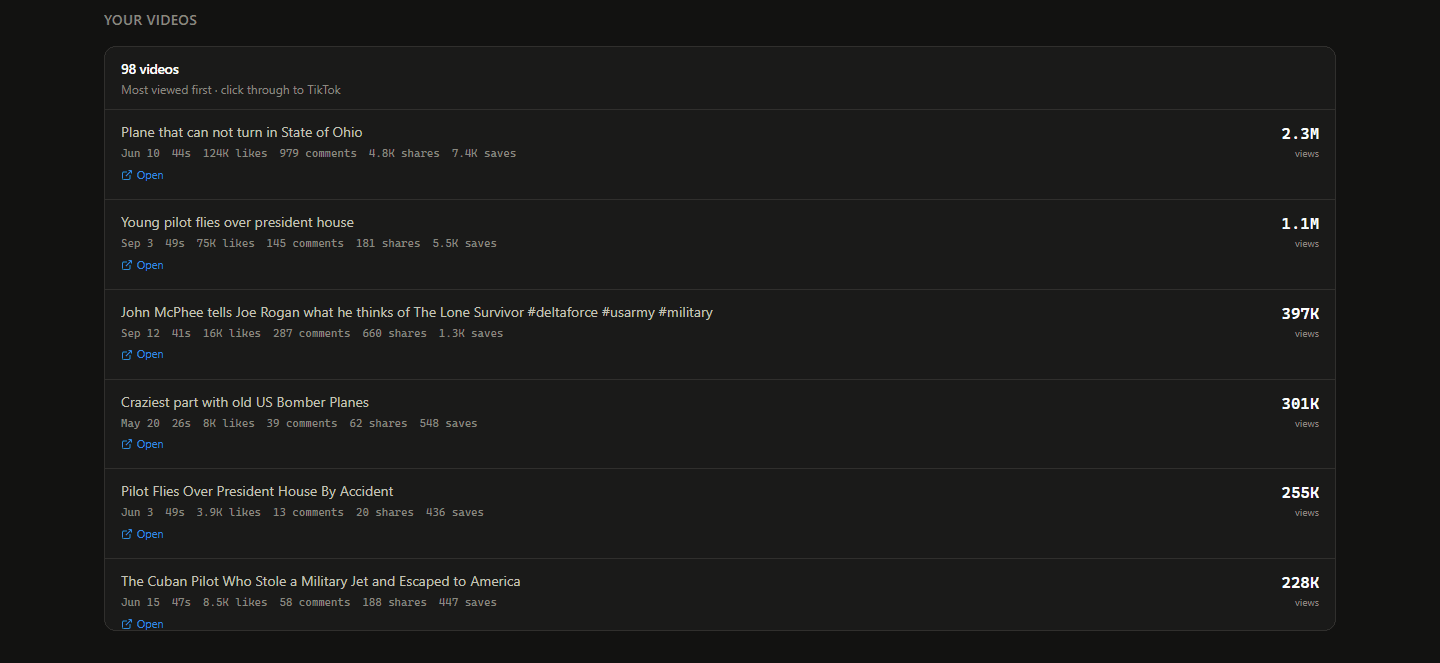
- 08Dashboard with follower and view trends, per-video stats, the agent chat and a live log of what the agent is doing and why.
Challenges I solved
01An agent that makes up numbers is worse than no agent.
Solution · Nova may only quote numbers from live data and has to say when something is missing. Its analysis is rebuilt from fresh snapshots.
02Downloading and rendering video is slow and often fails.
Solution · Each step is a job with retries and exponential backoff, run by a separate worker so the dashboard stays fast.
03Remotion needs React 18, but the app runs on React 19.
Solution · Remotion lives in its own workspace and is driven through its command line: settings go in as JSON and a finished mp4 comes out.
04Footage rights: archive.org mirrors a lot of copyrighted material.
Solution · Sources are limited to verifiable public-domain collections, clips start as unverified, and music only comes from a folder the owner filled.
05Podcast captions arrive as one long stream of words.
Solution · They're grouped into sentences first, so cuts, captions and effects land on real sentence boundaries.
What I learned
- Designing an agent with memory that the user can steer in plain language.
- Building long-running pipelines that recover from failures on their own.
- Treating rights and safety as product requirements, not an afterthought.