
FitMind AI
My own AI fitness coach: it builds your training and nutrition plan, then adapts it every month. Live on Google Play.
- Role
- Solo: product, Flutter app, backend, website
- Year
- 2025–2026
- Type
- Mobile
- Status
- Shipped
The problem
A training plan is written once and then ignores what actually happened: the sessions you skipped, the weights that went up, the weeks you lost.
What I did
All of it, alone: the product, the Flutter app, the Firebase backend and Cloud Functions, the website, the payment flow and the Play Store release.
Result
Published on Google Play. Subscriptions run through Lemon Squeezy as merchant of record, because Google Play's merchant payments are not available to developers in Bosnia and Herzegovina.
- Android app
- Live on Google Play
- Website
- Live at fitmind-ai-web.vercel.app
- iOS
- Not released
- Google Play
- live, built and released by me alone
- 0
- screens across onboarding, plans, training, coach and progress
- 0
- Cloud Functions holding every AI call and API key
- 0 weeks
- per plan block, then the AI proposes the next one
Screens · tap to enlarge
Onboarding
6 screensA short questionnaire that gives the AI everything it needs to build your plan.
Home & plan
4 screensToday's workout on the home screen, and the AI-generated plan week by week.
Training
5 screensGuided sessions with an AI weight suggestion for every exercise.
Coach & nutrition
2 screensAn AI coach that knows your data, and a weekly meal plan with macros.
Progress
5 screensCharts and history so you and the AI can see what's working.
On desktop
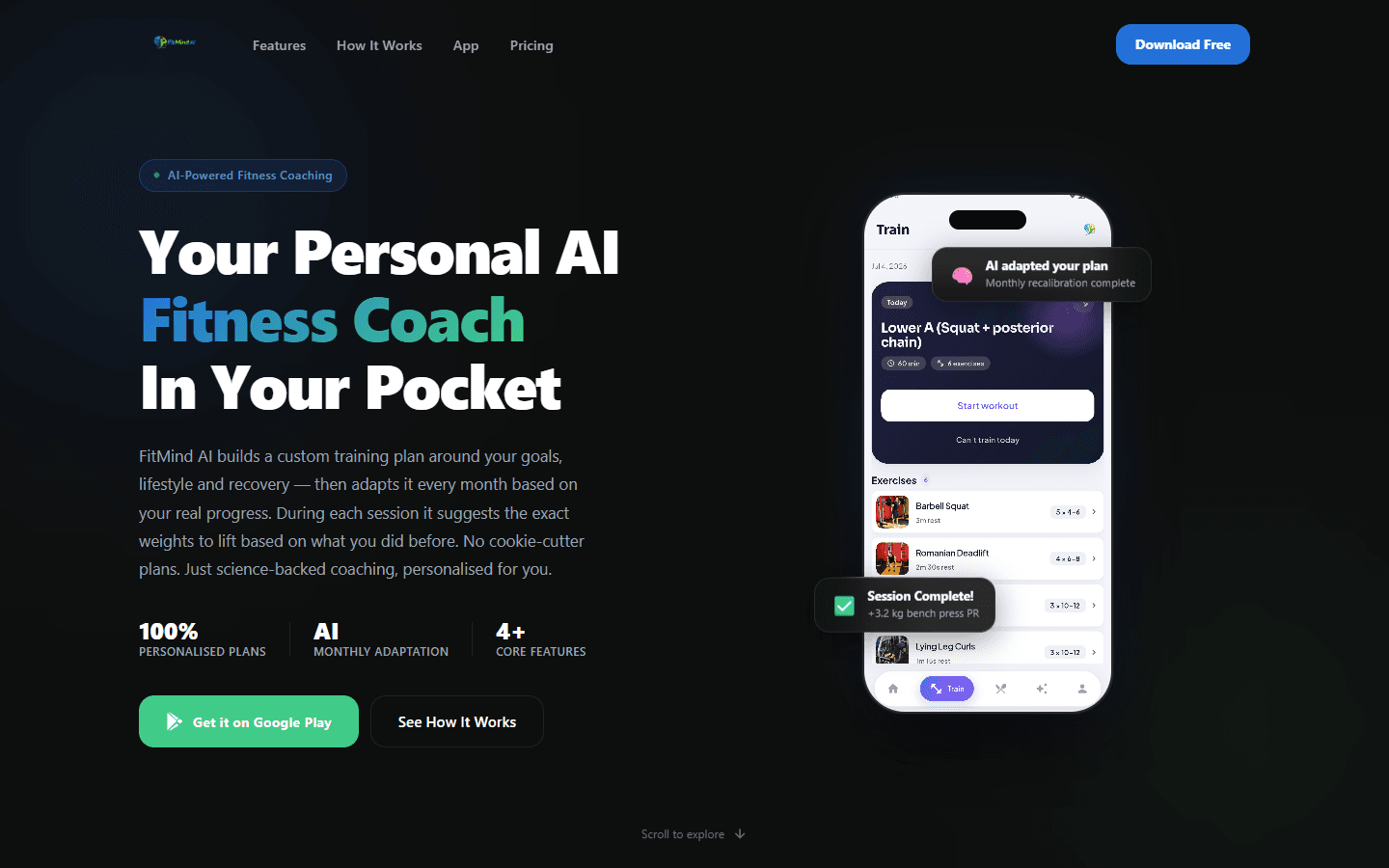
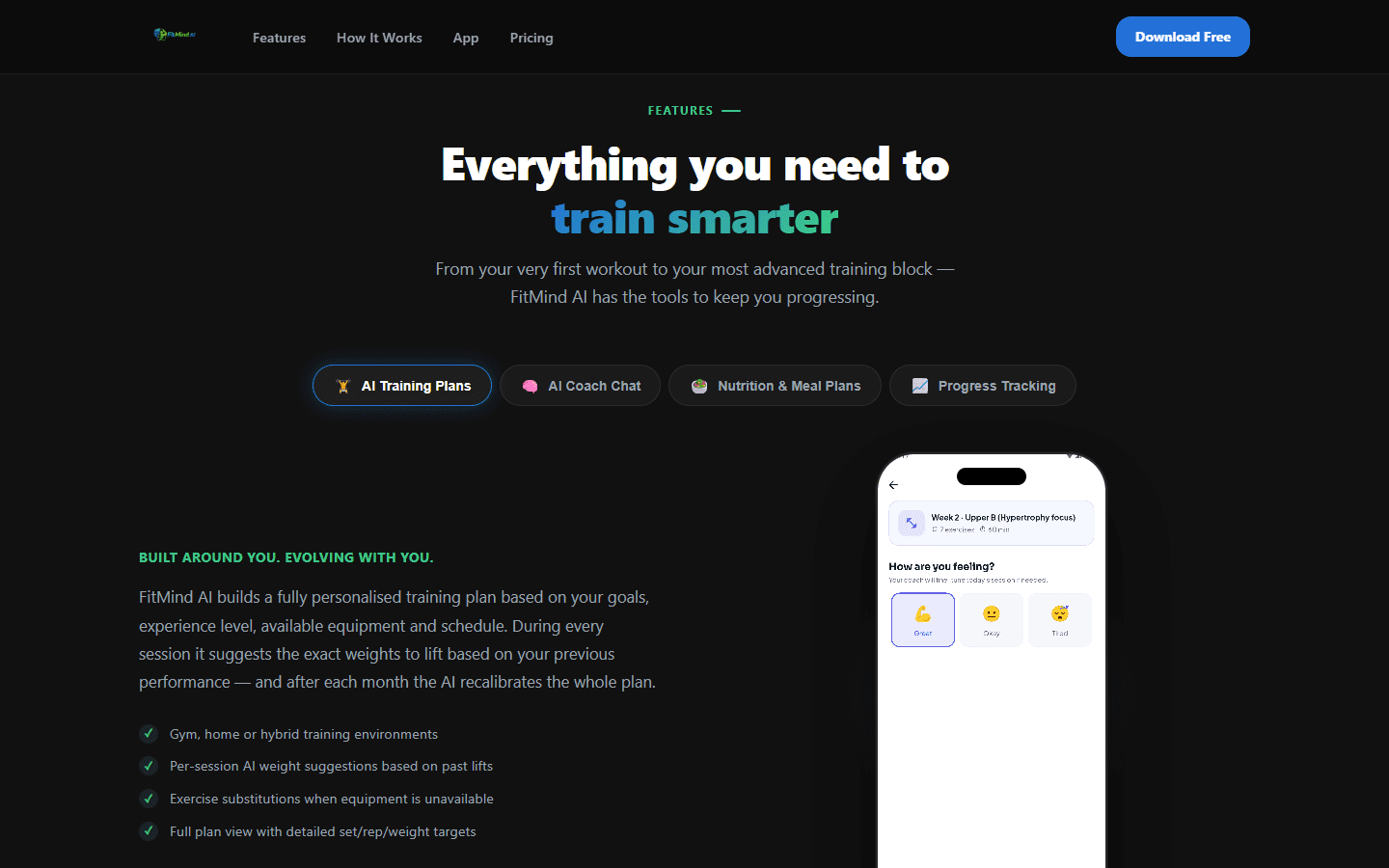
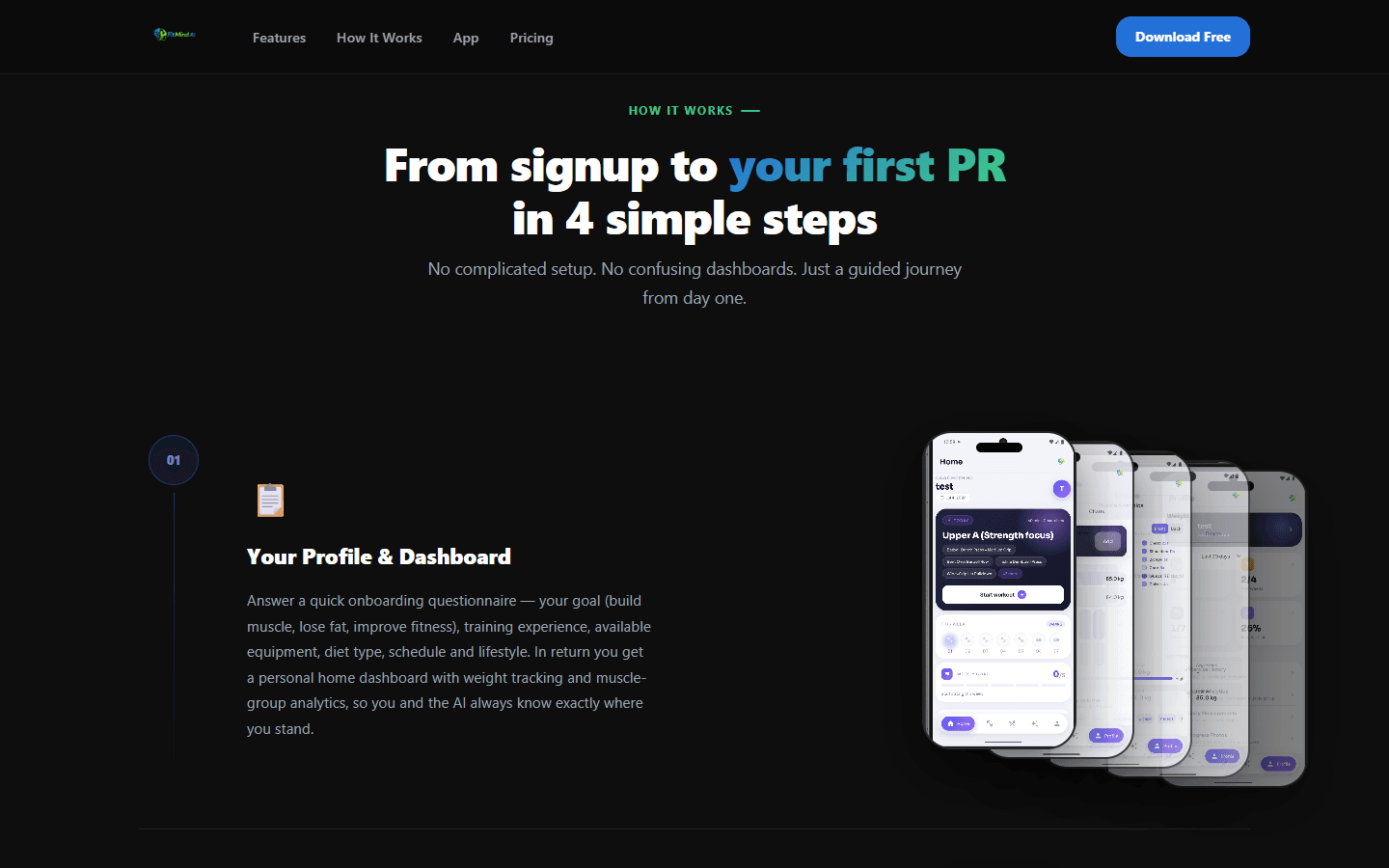
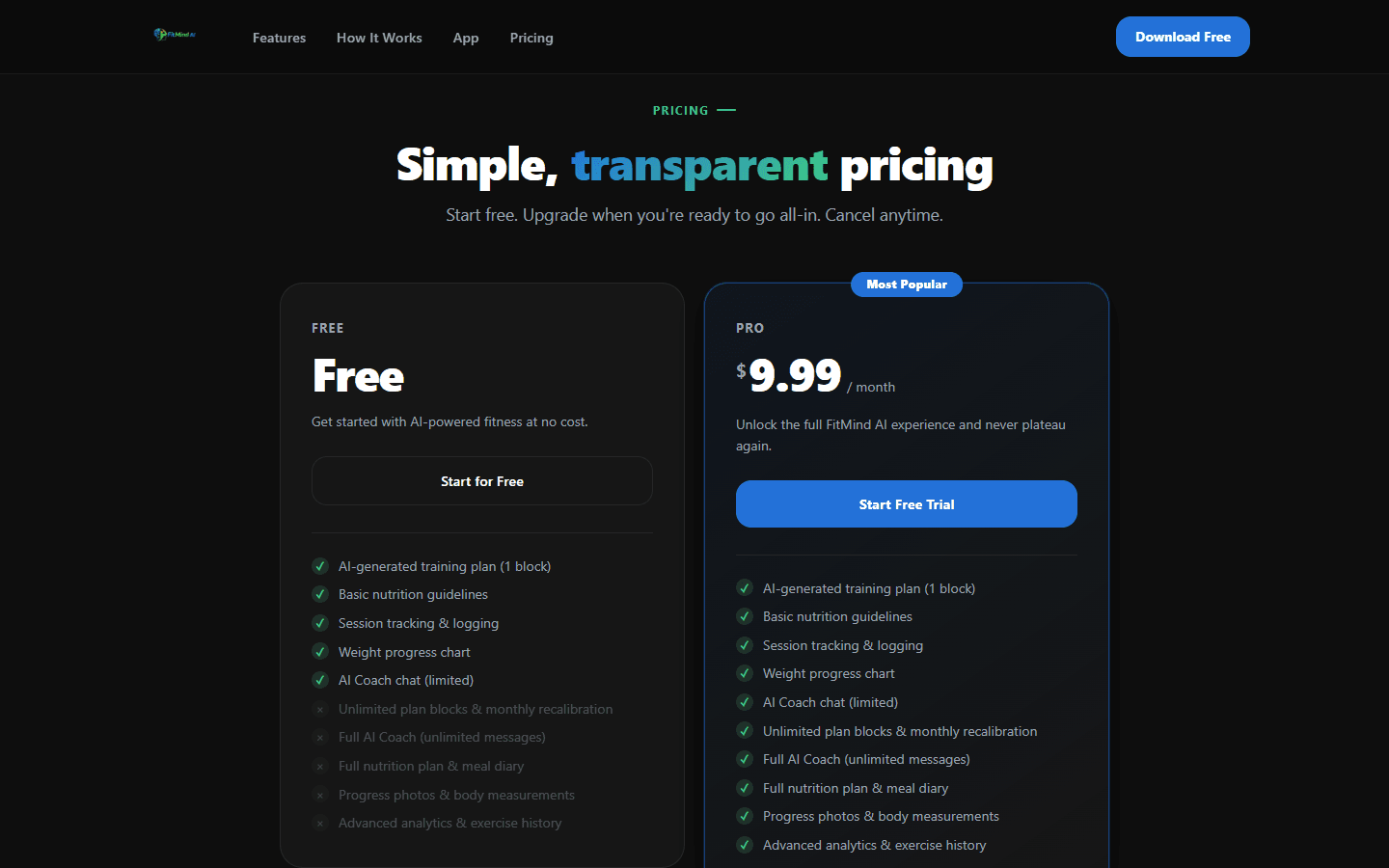
Overview
FitMind AI is a fitness app I designed, built and published on my own. A short onboarding turns your goal, experience, equipment and limits into a personalised training plan. During each workout it tells you exactly what weight to lift, and every month it recalibrates the whole plan from your real progress.
The app is Flutter with BLoC on Firebase. 24 Cloud Functions do the heavy lifting: OpenAI-powered plan generation and adaptation, workout and exercise-form analysis, exercise swaps, the AI coach chat, nutrition plans, scheduled reminders and Lemon Squeezy payments. I also built the marketing website that sells it. FitMind AI went live on Google Play in July 2026.
How it fits together
Clients
- Flutter appBuilt solo
Android, on Google Play. BLoC, go_router, get_it, fl_chart.
- Marketing websiteBuilt solo
React + TypeScript: features, pricing, legal pages.
Firebase
- Auth
Email and Google sign-in.
- Firestore
Plans, sessions, nutrition, chats, weights, measurements.
- Storage
Progress photos.
- Messaging + App Check
Push notifications and protected APIs.
Cloud Functions (24)
- HTTPBuilt solo
generatePlan, adaptPlan, generateNutritionPlan, substituteExercise, analyzeWorkoutSession, analyzeExerciseForm…
- TriggersBuilt solo
onChatMessageCreated (AI coach), onWorkoutSessionCreated, onWeightEntryCreated.
- ScheduledBuilt solo
Meal reminders, weigh-ins, rest days, cooldowns.
External
- OpenAI
Plans, coaching, analysis and nutrition.
- Lemon Squeezy
Merchant of record: checkout, cards, VAT and payouts, with a webhook back into Firestore.
How it flows
- 1
Onboard
AppGoal, environment, equipment, experience, limits, measurements and strength PRs feed the AI.
- 2
AI builds the plan
Cloud FunctionsgeneratePlan creates a 4-week block and a matching nutrition plan, saved to Firestore.
- 3
Train with guidance
App · AIEach exercise shows sets, reps, rest and an AI-suggested weight based on your last session. Swap exercises when needed.
- 4
Coach, eat, track
TriggersChat with the AI coach, follow meals and log weight, while triggers and schedules keep the data and reminders flowing.
- 5
Monthly check-in
adaptPlanAfter the last workout of the month a check-in screen asks how the block went: can you keep this pace, should the week drop from five sessions to fewer. The AI reads those answers with your real progress and proposes the next block, which you confirm or decline.
What I built
- 01Onboarding that captures goal, training environment and equipment, experience, injuries, food restrictions, measurements, strength PRs, a starting photo and a free-text note for the AI, then generates the plan.
- 02AI-generated 4-week plan blocks (weeks → days → exercises) stored in Firestore, with monthly recalibration the user can confirm or decline.
- 03Guided training sessions: sets, reps, rest timers and an AI weight suggestion for every exercise based on your last session, plus one-tap swaps when equipment isn't available.
- 04Post-workout AI analysis and exercise-form feedback through Cloud Functions, with progress tracked day by day.
- 05AI Coach chat powered by a Firestore trigger: every reply has the context of your plan, history and check-ins, with a free message limit and upgrade path.
- 06AI weekly nutrition plans matched to calorie targets and diet type (including halal, vegetarian and vegan), with daily adjustments and supplement validation.
- 07Progress analytics built with fl_chart: weight trends, weekly volume per muscle, exercise history and PRs, body measurements and private progress photos in Firebase Storage.
- 08Scheduled push and local notifications: meal reminders, weigh-ins, rest days and cooldowns after training.
- 09Payments through Lemon Squeezy instead of Google Play billing: Google Play's merchant payments aren't available to developers in Bosnia and Herzegovina, so I took the subscription off-platform.
- 10Lemon Squeezy acts as merchant of record: it runs the checkout, takes the card payment, handles VAT and tax across countries and pays out to me, so a solo developer doesn't have to register as a merchant in each market.
- 11A webhook from Lemon Squeezy updates the subscription in Firestore, so the paywall reads one source of truth wherever the payment happened. I integrated Paddle first and moved to Lemon Squeezy.
- 12Security: Firebase App Check, Firestore and Storage rules, and token-verified HTTP functions.
- 13Marketing website in React and TypeScript with product videos, pricing, privacy policy, terms and an account-deletion page.
- 14Took the app through Google Play's release process alone: internal testing, then closed testing, then open testing, then production — including the store listing, the data-safety form and the policy requirements each track adds.
Challenges I solved
01Getting an app onto Google Play as a solo developer is its own project, not a button at the end.
Solution · I took it through every track myself — internal, then closed, then open testing, then production — fixing what each stage asked for: the store listing, the data-safety declarations and the policy requirements that come with testers.
02An AI-written plan is only useful if weeks, days, exercises and progress always line up.
Solution · Plans are generated as structured four-week blocks saved in Firestore. Progress only moves forward on clear events: finishing a workout, confirming recovery on a rest day, or skipping a session.
03Monthly recalibration can't simply overwrite the plan someone is following, and the app can't tell from data alone whether a hard month was a good one.
Solution · After the last workout of the month the app asks the user directly — is this pace sustainable, should the number of weekly sessions drop — and adaptPlan proposes the next block from those answers plus real progress. Nothing changes until the user confirms or declines it.
04AI calls cost money, and API keys can't live inside a mobile app.
Solution · Every OpenAI call runs in Cloud Functions, which verify the user's token and are protected by Firebase App Check.
05Google Play billing, the obvious way to charge for an Android app, wasn't open to me: Google Play's merchant payments aren't supported for developers in Bosnia and Herzegovina.
Solution · I took the subscription off-platform and used Lemon Squeezy as merchant of record. It runs the checkout and handles cards, VAT and payouts across countries, so I never touch card data. Being shut out of the default route meant designing the payment flow myself.
06With the payment happening outside the app, the app still has to know who is subscribed.
Solution · A checkout function and a Lemon Squeezy webhook update the subscription on the user in Firestore, so the paywall reads one source of truth wherever the payment came from. I integrated Paddle first and moved to Lemon Squeezy.
07Reminders only help if they arrive at the right moment.
Solution · Scheduled functions send meal, weigh-in and rest-day notifications, and cooldown reminders fire after training.
What I learned
- Shipping a product alone: design, app, backend, payments, website, legal pages and a Google Play release.
- Getting reliable, structured output from an AI model and checking it before it touches user data.
- Serverless backends: HTTP functions, database triggers and scheduled jobs.
- Everything around the code that makes it a real product: privacy policy, account deletion and pricing.
- That where you live can shape your architecture: with Google Play billing closed to developers in Bosnia, the whole payment flow had to be built around a merchant of record instead.